
TL;DR:
- Organizing team celebrations via shared lists often leads to chaos without the right tool. HR teams should prioritize apps with no signup barriers, real-time sync, task assignment, and cross-platform support to boost participation and accountability. Choosing the most suitable app depends on team size, existing workflows, and event types for effective, stress-free coordination.
Every HR manager who has tried to organize a team birthday using a group chat thread knows exactly how fast that turns into chaos. App share lists exist to fix this, and yet the market is crowded with tools that range from genuinely useful to surprisingly frustrating when real teams try to adopt them. Choosing the right one means fewer coordination headaches, higher participation, and celebrations that actually feel intentional rather than last-minute. This guide walks you through what to evaluate, which tools stand out, and how to match the right app to your team's actual working style.
Table of Contents
- How to evaluate app share lists for HR and team celebrations
- Top shared list apps for managing employee celebrations and teamwork
- Comparing app share lists: feature and usability showdown
- Choosing the right app share list based on your team's unique needs
- Why effortless collaboration beats feature overload in HR shared lists
- Streamline team celebrations with Hop Hey's easy shared lists
- Frequently asked questions
Key Takeaways
| Point | Details |
|---|---|
| Instant participation | Apps without signup barriers drive higher engagement from all team members instantly. |
| Real-time sync | Collaboration quality depends on seeing updates and item check-offs as they happen. |
| Task assignment | Assigning ownership prevents duplication and clarifies responsibilities in celebrations. |
| Cross-platform support | Smooth syncing across devices maintains consistent collaboration for mixed teams. |
| Built-in chat | Communication inside tasks keeps relevant context and reduces separate messaging noise. |
How to evaluate app share lists for HR and team celebrations
Setting clear evaluation criteria helps narrow down the best app share lists for your HR needs. Before you test any tool, you need a framework. Most HR teams end up switching apps not because the features were missing, but because adoption failed quietly.
Here are the criteria that actually matter in practice:
- Zero or low signup friction. If team members need to create an account just to view a shared celebration checklist, a significant portion of them simply won't. Collaboration without signup barriers is the single biggest driver of genuine adoption.
- Real-time synchronization. Real-time sync is non-negotiable for true collaboration. When one person checks off a task, everyone else should see it immediately, not at the next refresh.
- Assignable tasks. Who is ordering the cake? Who is collecting funds? Without task assignment, you get duplicated effort or critical gaps. Assignability creates accountability without requiring a separate manager message.
- Cross-platform compatibility. HR teams routinely span iPhones, Androids, company laptops, and personal browsers. A tool that works cleanly on all of them avoids the "I can't open it on my phone" drop-off.
- Built-in comments or chat per task. Communication that lives inside the list item itself cuts down on back-and-forth messages. It also creates a clear record of decisions tied to each action.
Pro Tip: When evaluating list sharing apps for the first time, run a 10-person pilot for a single event. Track how many people joined without asking for help. That number tells you more about usability than any feature matrix.
The best way to apply this framework is as a checklist against your team's specific context. A team of 200 employees in five cities needs different things than a 15-person startup department. Reviewing birthday list tools built specifically for team engagement can also surface options designed with HR workflows in mind from the start.
Top shared list apps for managing employee celebrations and teamwork
Knowing the key features, let's look at popular apps that meet HR teams' shared list needs.
Google Keep
Simple, fast, and already installed on most Android devices. Google Keep lets you share lists and watch items get checked off in real time, which makes it genuinely useful for short-term event coordination. The catch: everyone needs a Google account. For internal teams already deep in Google Workspace, this is no barrier at all. For external contributors or non-Google employees, it creates friction fast.

Listimo
A purpose-built collaborative list application with a strong emphasis on in-list communication. Listimo offers chat inside every task and supports unlimited collaborators on its premium plan, which is important when your employee celebrations include large cross-functional groups. The per-task chat keeps discussions focused rather than sprawling into a general thread.
Todoist
The most polished of the mainstream options. Todoist syncs instantly across Apple devices and browsers, which suits teams with mixed device ecosystems well. Its task assignment feature is clean and intuitive, and the calendar integration makes it easy to tie celebration planning to actual event dates. The free tier has limits that push larger teams toward a paid plan.
The Easy List
The outlier in a field of sign-up-required tools. The Easy List requires no signup and delivers real-time list changes via a shared link. You send one URL, anyone can join. For one-off celebrations, surprise parties, or any event where you want maximum participation without IT overhead, this approach is hard to beat.
Understanding how each of these fits into your broader planning process is easier when you look at dedicated event coordination apps that combine list management with milestone tracking.
Comparing app share lists: feature and usability showdown
To make an informed choice, compare these apps side by side for features that matter most to HR.
Moving comments into list items directly reduces communication overhead, which is why built-in chat has become a defining feature rather than a bonus. Here's how the top options stack up:
| Feature | Google Keep | Listimo | Todoist | The Easy List |
|---|---|---|---|---|
| Real-time sync | Yes | Yes | Yes | Yes |
| No signup required | No | No | No | Yes |
| Task assignment | No | Yes (premium) | Yes | No |
| Built-in chat or comments | No | Yes | Limited | No |
| iOS and Android support | Yes | Yes | Yes | Browser-based |
| Free tier limits | Generous | Basic features | 5 projects | Fully free |
| Best for | Google Workspace teams | Mid-size teams | Feature-focused teams | Quick, inclusive events |
A few things stand out when you read this table carefully.
No single app wins every column. Google Keep is free and fast but lacks task assignment, which means accountability lives in your head or a separate message thread. Todoist has the best task assignment and sync but requires signup and moves to paid fast for larger teams. Listimo fills the gap with per-task chat but keeps its best collaboration features behind a premium wall. The Easy List solves the adoption problem completely but trades task ownership and chat for frictionless access.
Pro Tip: For HR teams running both recurring events (monthly birthdays, quarterly milestones) and one-off celebrations (surprise retirement party), consider using two apps. Use a feature-rich list management app for regular planning and a no-signup tool for surprise events where secrecy and speed matter more than structure.
When thinking about how these tools fit into group celebration coordination, the comparison table becomes a decision filter rather than just a reference document.
Choosing the right app share list based on your team's unique needs
With detailed comparisons in hand, here's how to pick the best app share list for your specific team context.
The honest answer is that there is no universal winner. There is only the right fit for your team's size, tech comfort level, and the kind of events you run most often.
- Start with your team's existing ecosystem. If your company runs on Google Workspace, Google Keep costs nothing in adoption effort because accounts already exist. If you use Microsoft 365, look for apps with native integrations or browser accessibility.
- Assess the technical comfort of your typical event participant. Not the HR manager setting up the tool, but the colleague in accounting who will be asked to join a birthday planning list at 11 AM on a Tuesday. Instant participation without signup bottlenecks drives adoption, especially for casual contributors.
- Map your event types to feature needs. A weekly birthday rotation needs task assignment and a recurring structure. A surprise retirement party needs speed, discretion, and zero friction. A team offsite needs calendar sync and cross-device access. Each scenario points to a different tool.
- Factor in team size and premium costs. Apps that cap collaborators on free plans create frustrating mid-event barriers. If your HR department regularly coordinates events for 50 or more people, evaluate premium pricing before you commit to a tool, not after you've already built your process around it.
- Pilot before rolling out. Test on a low-stakes event. Run a birthday collection with one tool for a single month. Measure how many people participated without needing individual reminders. That's your real adoption rate.
Pro Tip: Assigning a specific person as "list owner" for each event, regardless of which app you use, reduces the ambiguity that kills momentum. Even the best collaborative list application fails when nobody feels responsible for it.
Teams with flexible event planning roles built into their coordination workflow see consistently better follow-through because responsibility is clear from the start.
Why effortless collaboration beats feature overload in HR shared lists
Understanding features is one thing. Prioritizing ease of collaboration is what actually determines whether your HR efforts succeed or quietly fizzle.
Here's a perspective you won't find on most comparison lists: the features that look most impressive in a product demo are often the exact features that kill adoption in real teams.
Think about who actually uses these list management apps in an HR context. It's not power users. It's the department coordinator who spends most of their day in email. It's the team lead who has exactly four minutes to check whether the farewell card has been ordered. It's the 12 colleagues who received a link and will engage with it exactly once. For these users, adoption depends on joining instantly without getting stuck on sign-up. Any friction at that moment is adoption lost permanently.
This doesn't mean features don't matter. It means the sequence matters. Start with "can everyone join easily?" Then ask "does it tell people what they're responsible for?" Accountability requires assignable tasks or per-item ownership. Without it, shared lists become read-only documents that everyone monitors and nobody acts on.
Cross-device compatibility is the silent killer that most HR teams discover too late. A beautiful desktop-only experience fragments your distributed team the moment someone tries to check in from their phone on the way to the event. The tool you chose looks fine in testing and breaks in practice.
The real insight is this: a shared list tool that 90% of your team uses at a basic level beats a full-featured app that 40% of your team actually opens. Features should serve the collaboration goal, not signal sophistication. For HR teams who want to understand how purpose-built wishlists in the workplace change the dynamic entirely, the framing shifts from "task management" to "meaningful participation."
Streamline team celebrations with Hop Hey's easy shared lists
After exploring top apps and selection tips, Hop Hey makes implementing effective shared lists easy for HR teams.
If you want a tool built specifically for the celebration coordination problems HR teams face, Hop Hey for teams was designed from the ground up for exactly this. No generic project management adapted for parties. Private celebration pages, shared wish lists, transparent gift fund collection, and team chat that keeps planning invisible to the person being celebrated.
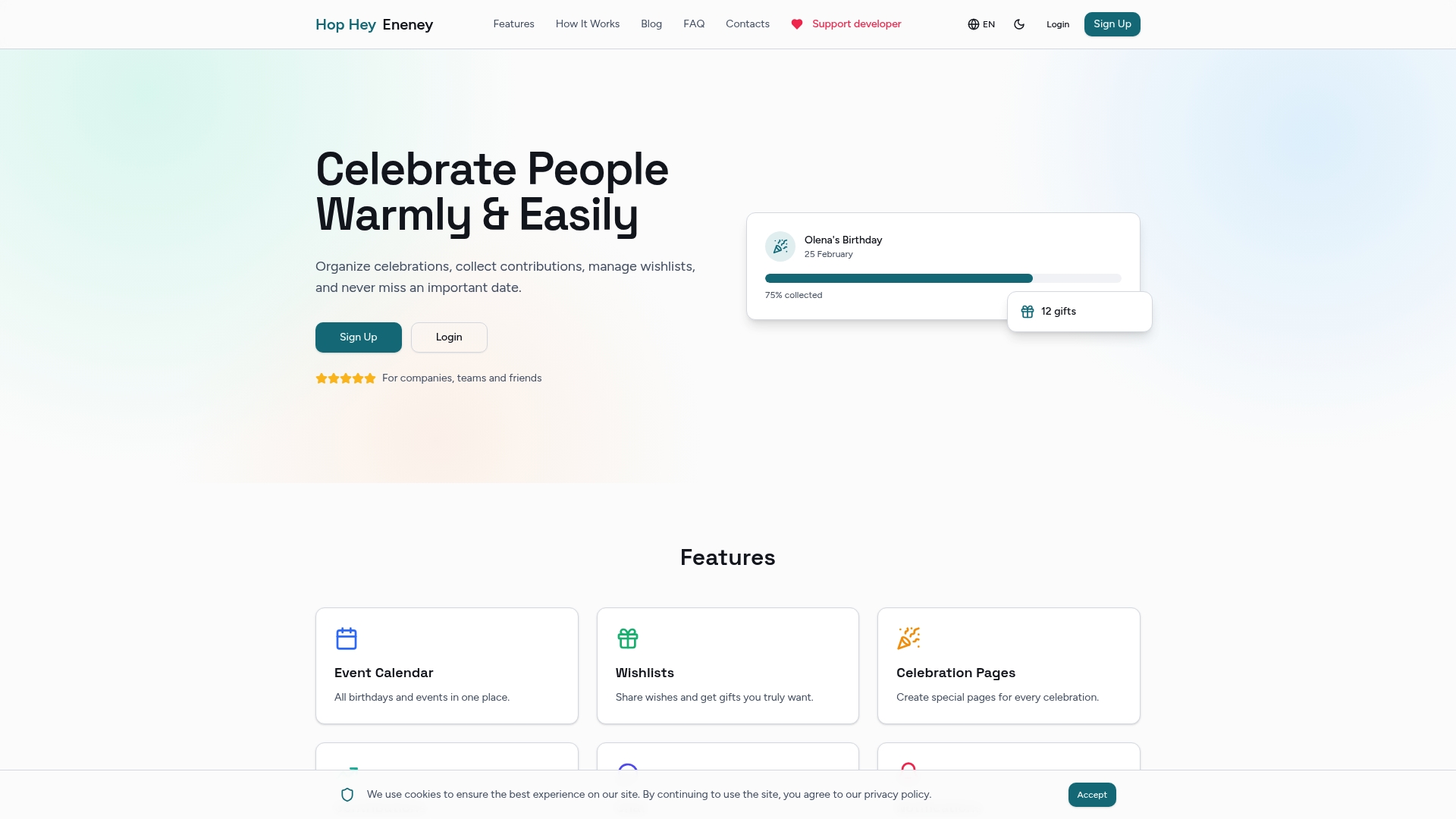
Every feature on the platform addresses a real coordination failure: forgotten birthdays, awkward fund collection, overlapping gift purchases, and the chaos of 15 people trying to plan via group chat. The birthday list tools guide shows how HR teams are using structured lists to make employee recognition consistent and personal. And if you're looking to build a repeatable process, the event coordination guide covers how to turn one-off efforts into a system your whole team relies on.
Frequently asked questions
What is an app share list and why is it useful for HR teams?
An app share list is a collaborative tool that allows multiple people to view, edit, and check off list items in real time, helping HR teams coordinate employee events without communication chaos. Real-time shared list collaboration is the core feature that makes multiple users able to track progress together without separate status updates.
How important is the ability for users to join without signing up?
Instant access without sign-up significantly increases participation because it removes barriers that prevent employees from engaging with shared lists for celebrations. Apps with no signup workflows see higher adoption rates, especially for casual or one-time contributors.
Can shared list apps assign tasks to specific people?
Yes, many collaborative list applications now support assigning tasks or list items to individuals, which clarifies responsibilities and prevents duplication in event planning. Assignable per-item ownership directly improves accountability for who handles what at team celebrations.
Are shared list apps suitable for teams using different devices?
Apps with strong cross-platform support covering web, iOS, and Android ensure smooth collaboration regardless of device, avoiding syncing gaps that often go unnoticed until an event day. Cross-platform systems reduce fragmentation in distributed teams especially.
What features should HR teams prioritize when selecting a shared list app?
HR teams should prioritize instant participation, real-time synchronization, task assignment, built-in communication per task, and cross-device compatibility. Real-time collaboration and accountability features are the selection criteria that most directly determine whether team members actually engage with the tool.